Features Screenshots Download
Download on theApp Store
Get it onGoogle Play
AI-Powered · iOS & Android

Plan your
week with
zero friction.

Weeksify turns how you think into a structured schedule. Talk to it, type to it — it handles dates, repeats, reminders, and everything in between.

iOS + AndroidCross-platform
Voice-firstNatural language AI
FreeTo get started
Repeat settings
Schedule
Task edit
Customizable Icons

Every task gets
its own identity

Choose from a library of animated icons for each event. They're not just decorative — they make your schedule instantly scannable.

Animated icons that react on tap with motion
Dozens of categories — work, health, family, sport and more
Combined with color labels for instant visual recognition
What it does

Built for how real
schedules work

Flexible Event Creation
Set by start time, end time, or duration. Edit any event by voice anytime without reopening forms.
Repeating Events
Daily, weekly, yearly — pick exact weekdays and optional end dates. Set it once, let it run forever.
Subtasks
Break complex events into steps. Check them off as you go — nothing falls through the cracks.
Layered Notifications
Multiple reminders per event — at start, before, at end. Exactly when and how you need to be reminded.
Free Time Visibility
See open gaps between events at a glance with instant "+ add". No more hunting for available slots.
Voice & Natural Language
Describe your event in plain language. Time, recurrence, and reminders are all parsed automatically.
AI Input

Talk to your
schedule

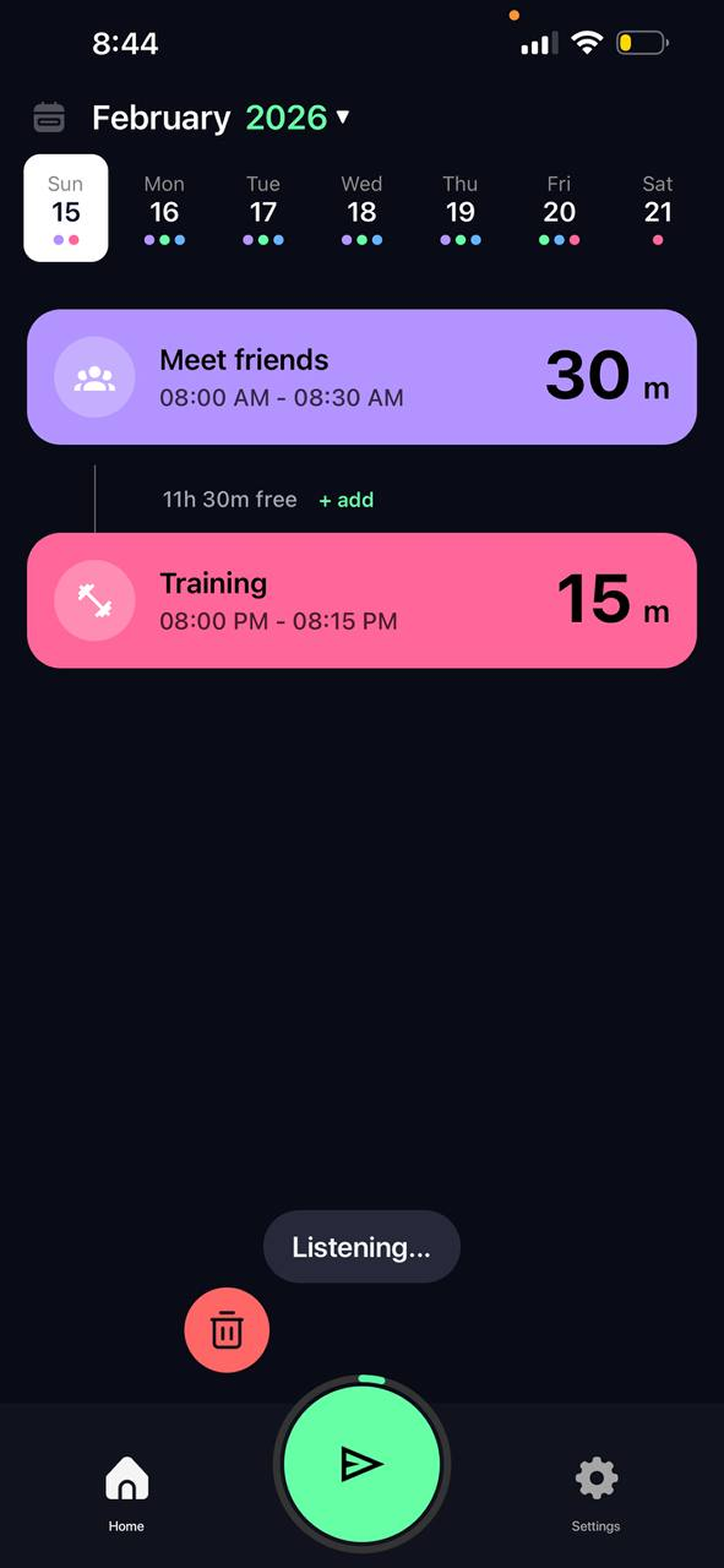
Just describe what you want. Weeksify handles time, repeats, and reminders in one go. No forms, no menus.

Update existing events the same way — "move my workout to 8am" just works.

Weeksify AI · Listening
"Pick up kids every Friday at 4pm for an hour"
Recurring · Fri 4:00–5:00 PM · Weekly
"Add workout weekdays 9 to 10am, remind me 30 mins before"
5-day event · 9:00–10:00 AM · 30 min reminder
"Move training to 8:30 tomorrow"
Training rescheduled to 8:30 PM
Tap mic to speak
App Screenshots

Clean by design

Every screen is built around clarity — dark, focused, and distraction-free.

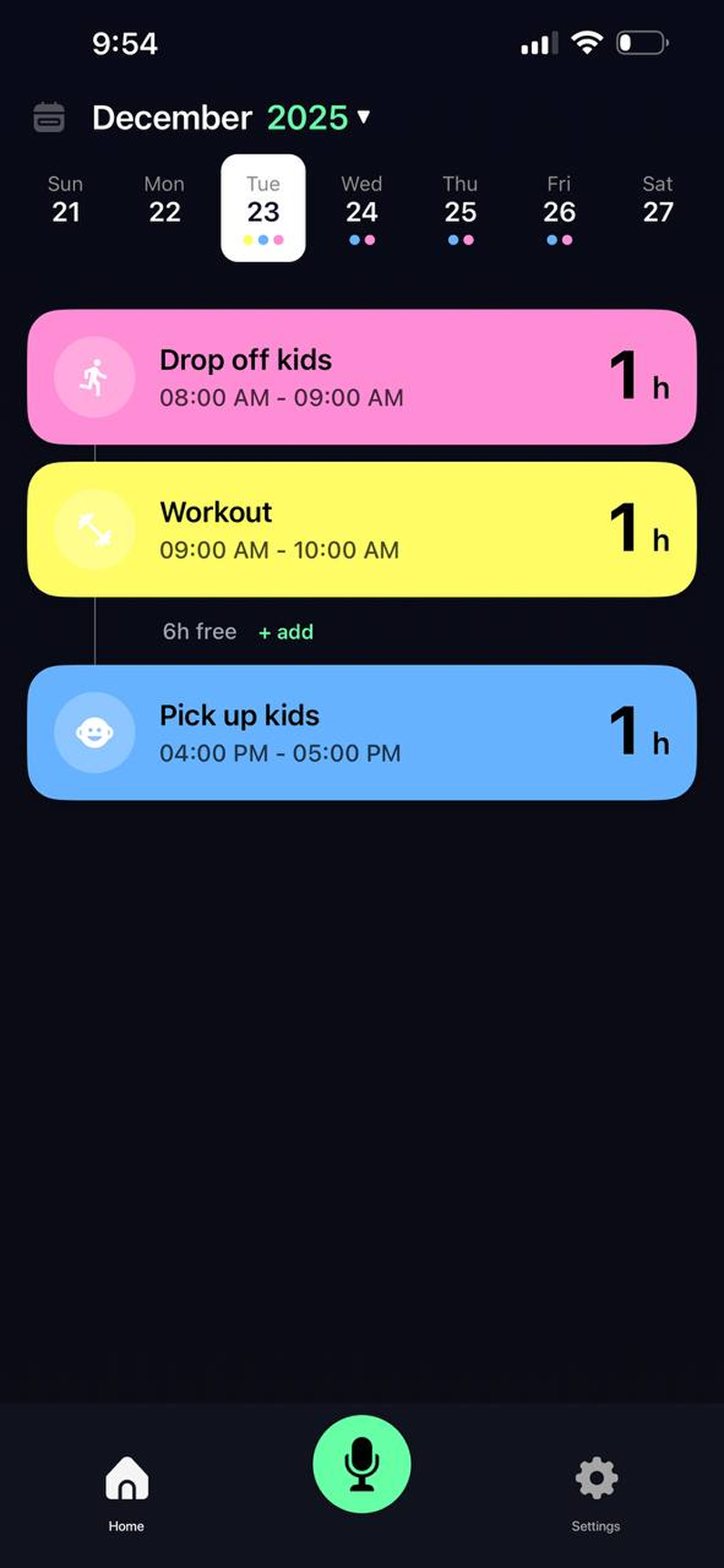
Schedule
Weekly View
Home
Home
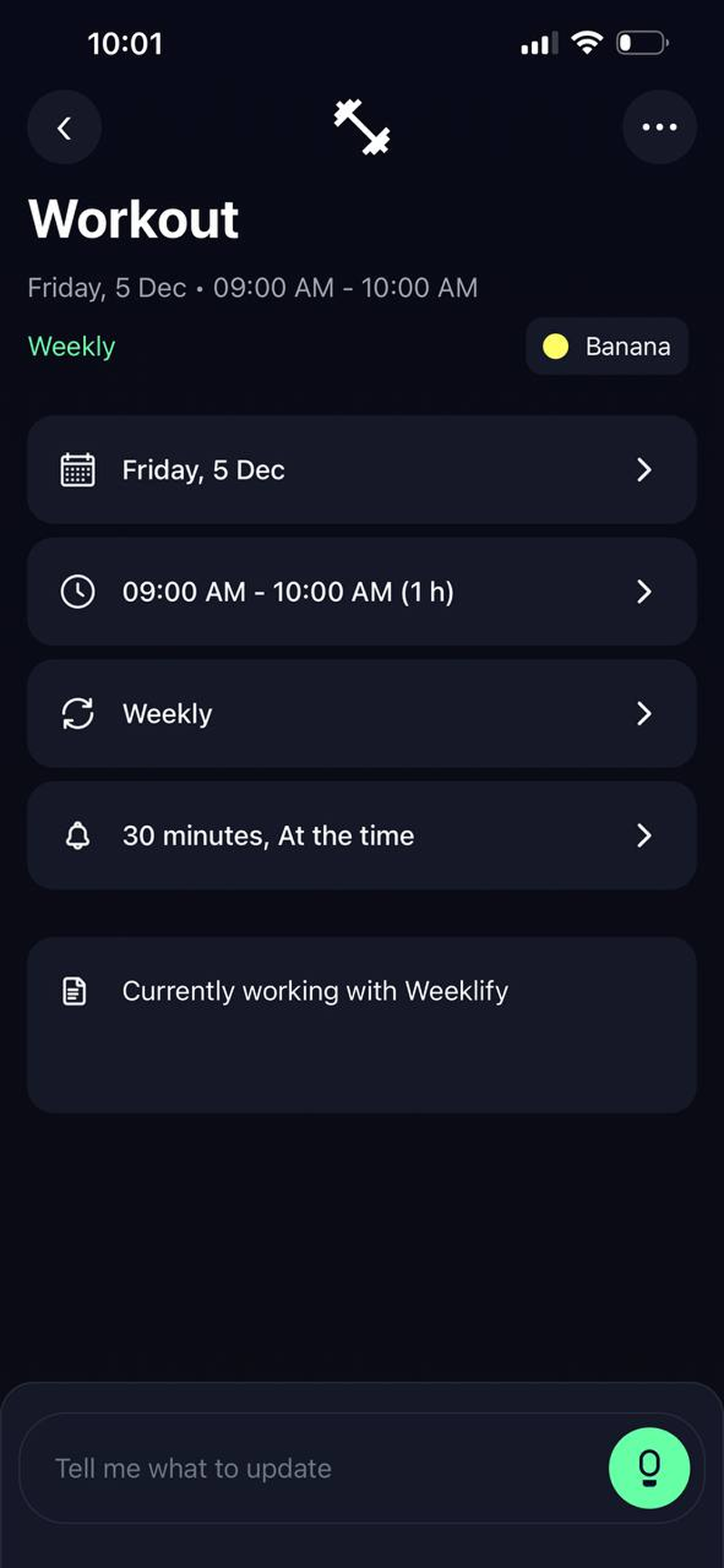
Task edit
Event Details
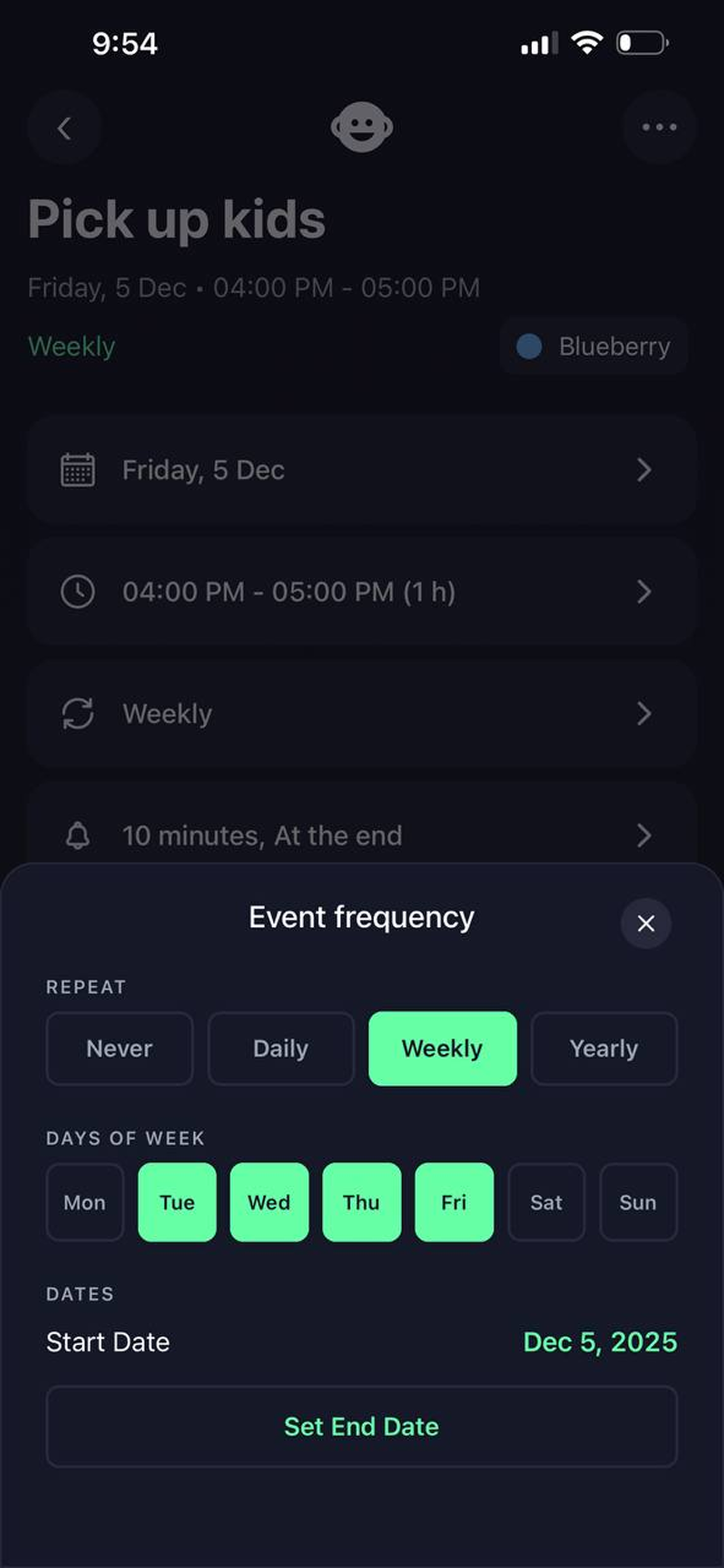
Frequency
Repeat Settings
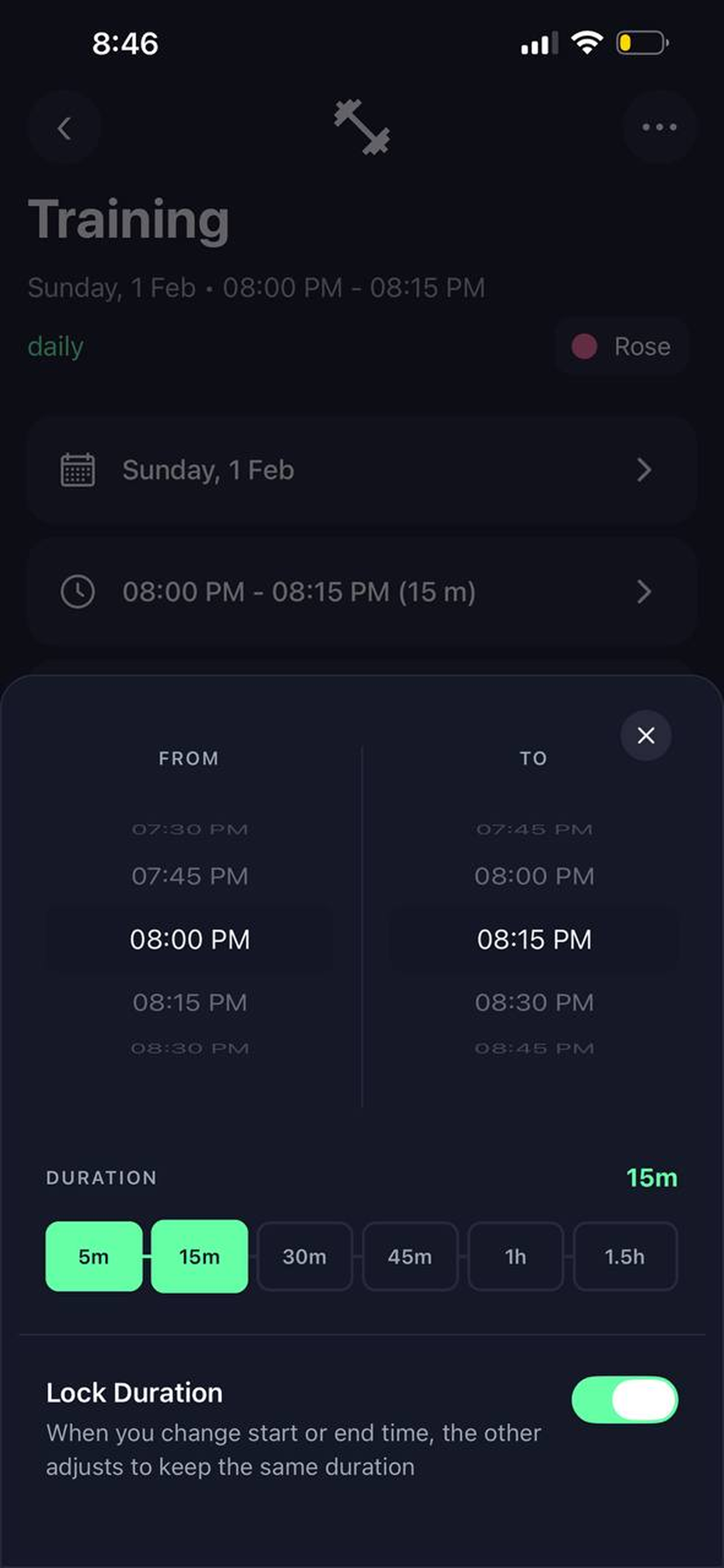
Time range
Time Picker
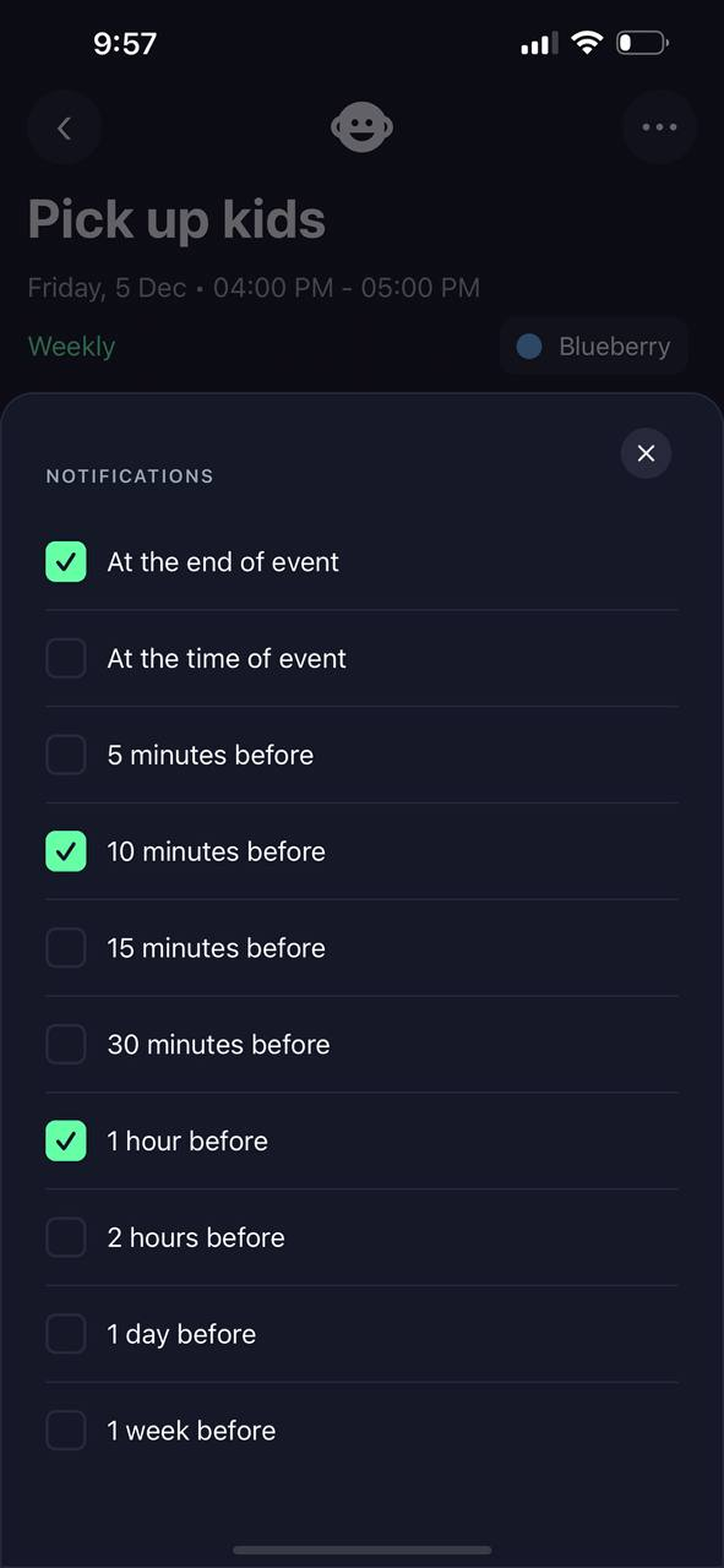
Notifications
Notifications
Reminders

Notified exactly
when it matters

Pick multiple reminder times per event. Weeksify doesn't assume when you need a heads-up — you decide.

At the end of event
At the time of event
5 minutes before
10 minutes before
30 minutes before
1 hour before
1 day before
1 week before
Recurrence

Routines that
set themselves

Set a recurring pattern once and it runs itself. Pick exact weekdays, a start date, and an optional end.

Repeat
Never
Daily
Weekly
Yearly
Days of Week
Mo
Tu
We
Th
Fr
Sa
Su
Start DateDec 5, 2025
End DateNot set

Your week,
organized.

Download Weeksify and build a schedule that actually reflects how you live — not how apps think you should plan.